Building inspection report example: open the report and see its structure
On this page, you open a real building inspection report from Keursnel, with made-up data. Below it, you read how a good inspection report is structured, based on the 13 report parts.
What is Keursnel?
Keursnel (keursnel.nl) is software for building inspections of homes in the Netherlands: you record what you see per building part, and Keursnel turns it into the report, the cost overview and the NHG annex, in your firm's house style. Free for 3 reports a month; after that €25 per inspection, or from €7.50 per inspection with a subscription (excl. VAT).
View the example report
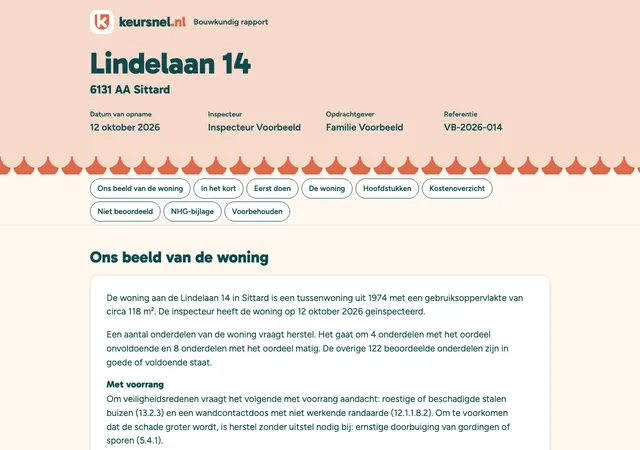
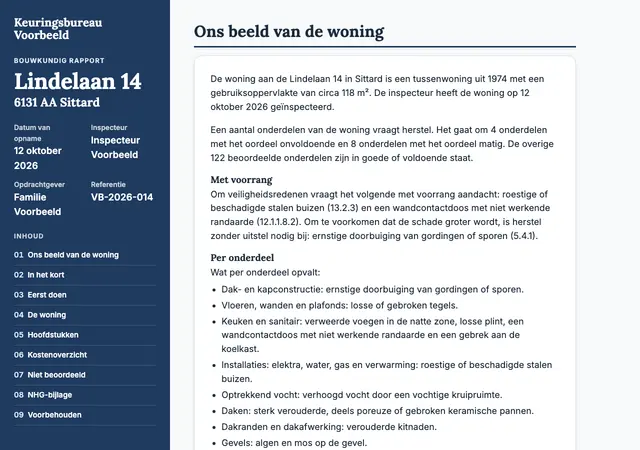
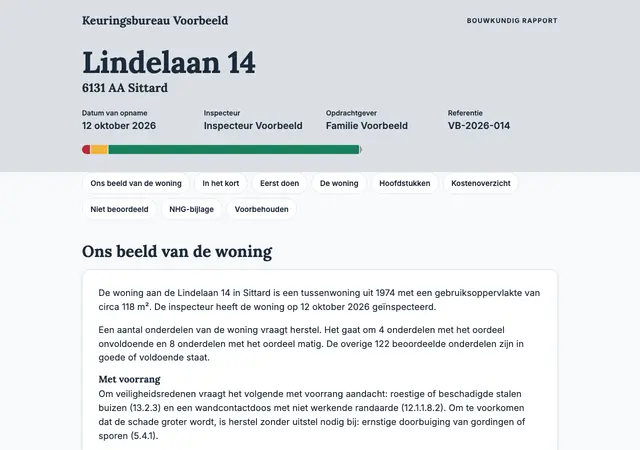
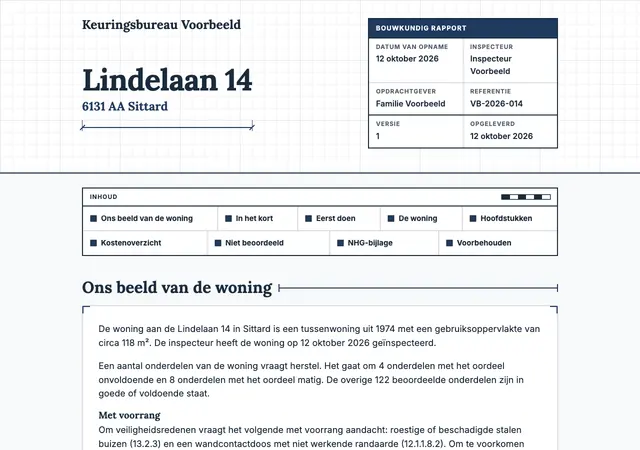
The full report for Lindelaan 14 in Sittard, with made-up data. You open it in your browser, just as your client does. The report is in Dutch.
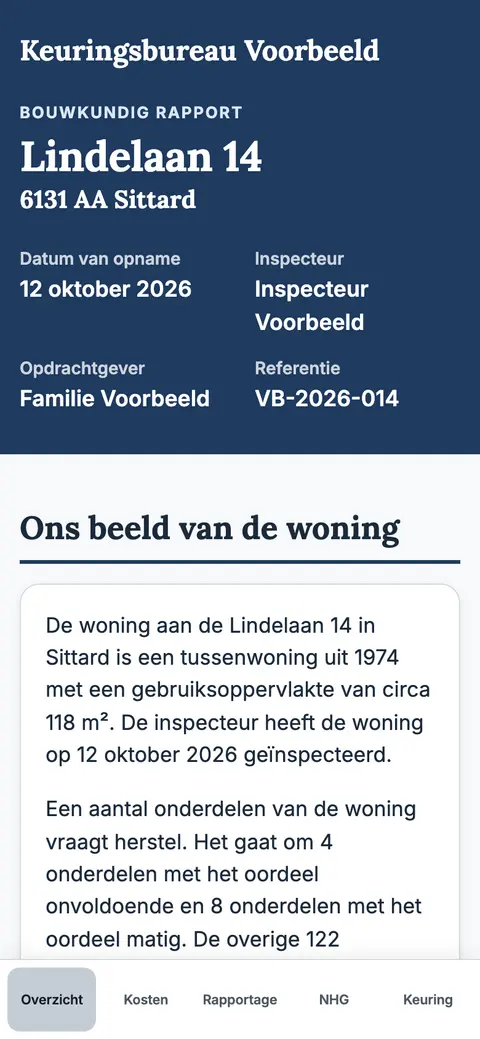
Online report
The same inspection as a small website with tabs. This is how your client reads the report through the link.
Open the online report (opens in a new tab)What does this inspection report example show?
This inspection report example is the sample inspection of Lindelaan 14 in Sittard: a mid-terrace house from 1974. The address, the names and the findings are made up.
Keursnel made the report itself, with the same code as in the app. So it is not a drawing or a mock-up.
You open the report in four designs. Klassiek (“classic”) is the report on the free plan, in Keursnel's own house style. Zijbalk (“sidebar”), Stoplicht (“traffic light”) and Bouwtekening (“construction drawing”) are in the house style of a made-up firm.
You can also open the online report. That is the same inspection as a small website with tabs. This is how your client reads the report through the link.
- Klassiek: as on the free plan, with “Gemaakt met keursnel.nl” (“made with keursnel.nl”) at the bottom
- Zijbalk, Stoplicht and Bouwtekening: with a paid plan and your own house style
- Online report: the small website for your client
Which parts make up a good building inspection report?
A good report helps your client decide. They want to know quickly what state the home is in, what it costs and what comes first. The details for each building element come after that.
In Keursnel, Voorblad (“cover page”), Hoofdstukken (“chapters”) and Voorbehouden (“disclaimers”) are always included. In the paid plan, you switch the other parts on or off under Rapportopmaak (“report layout”). There you also set the order.
Want to see the parts yourself? Open the example report above. After logging in, you can also load the same sample inspection in the app.
A Keursnel report has 13 parts. In the standard order, they go from the essentials to the details:
- The start: Voorblad, Inhoud (“contents”), Ons beeld van de woning (“our view of the home”), In het kort (“in short”) and Eerst doen (“do first”)
- The home: Gegevens van de woning (“home details”), Overzicht van de hoofdstukken (“chapter overview”) and the Hoofdstukken
- The costs: Kostenoverzicht (“cost overview”)
- The lists: Niet beoordeeld (“not assessed”) and Niet van toepassing (“not applicable”)
- At the back: NHG-bijlage (“NHG annex”) and Voorbehouden
What does your client read first?
After the cover page and the contents comes Ons beeld van de woning. That is a narrative about the whole home. It names what takes priority and what could not be assessed. It also covers the costs per timeframe and the next steps.
Keursnel puts that narrative together with fixed rules, without AI. You can replace any paragraph with your own text.
Then comes In het kort: the amounts per timeframe and how many findings received each rating. Directly below is Kosten per hoofdstuk (“costs per chapter”). This table shows the amounts per timeframe for each chapter with costs. Each amount links to that chapter.
Then comes Eerst doen: what takes priority. Routine maintenance and improvements are left out, except for a serious point involving danger. The list has fixed groups, in this order. Within each group, the highest amount is at the top.
- First, what affects safety
- Then what can lead to more damage
- Then what must be done within 1 year
- Last, what first needs a quote or investigation
How do you read the ratings and the colours?
In the chapters, each finding gets a rating. A section or chapter gets the most severe rating of everything below it, with a count per rating.
The inspector can set a rating themselves, but always with a reason. A finding can also carry a flag: safety or consequential damage. Those flags help decide what goes into Eerst doen.
The colours of the ratings are fixed. They do not change with your firm's house style. Next to the colour there is a symbol and a word, so you can read the rating without colour too. These are the six ratings:
- Good, green: in good condition, routine maintenance only
- Adequate, light green: works, with slight wear
- Fair, yellow: a defect, usually repair within a few years
- Poor, red: not in order, repair or replacement needed
- Further investigation, blue: a specialist needs to look at it
- Not assessed, white with a dotted border: could not be seen, so not approved
How are the costs shown in the report?
The Kostenoverzicht sets out the costs per chapter and per timeframe, with the rating next to them. There are three timeframes: within 1 year, within 5 years and improvement costs.
Improvement costs concern an improvement, not the repair of a defect. That is why they are shown separately.
If a defect has no amount, the report gives the reason. For example: first a quote from a specialist, further investigation, or a matter for the VvE (owners' association).
The amounts are indicative. The report states whether they include or exclude VAT. All totals come from one list of cost lines, so every total matches the items.
What is in the NHG annex?
If the report is for a mortgage with NHG (the Dutch National Mortgage Guarantee), NHG asks a building firm to use its Model bouwkundig rapport (model building inspection report). In Keursnel, the NHG annex is one of the 13 parts.
The annex sets out the costs per NHG code: immediate (within 1 year) and longer term (within 5 years). The A codes are all included, even without costs. The B codes are in a table per storey, such as the ground floor. Under each code are the items, each with its number in the report.
At the top are the administrative details and the summary sheet (verzamelstaat). Each item with repair costs shows the action: demolish, repair, replace, install new or other. Then come the remarks, an explanation and, last of all, NHG's programme of requirements and recommendations.
Improvement costs and items without an NHG code are shown separately. That way the annex matches the cost overview. For a partial inspection, there is no NHG annex.
What the model asks and how Keursnel fills it in is explained on the NHG building inspection report page.
How do you record what you could not assess?
An honest report also says what you did not see. Anything under Niet beoordeeld is not an approval. The report makes no statement about it.
Rows that do not apply do not count towards the ratings and the costs. What you could and could not inspect in each chapter is stated at the start of that chapter.
The disclaimers are in every report. Among other things, they say that an inspection is a snapshot. The inspector looks without opening or moving anything. And the report is no guarantee that the home is free of defects.
In the report, these are three separate parts:
- Niet beoordeeld: what could not be seen or reached
- Niet van toepassing: what does not occur in this home or is not part of the inspection
- Voorbehouden: what the inspection is and is not
How does your client read the report online?
Your client also gets the report as an online report: a small website. It has the tabs Overzicht (“overview”), Kosten (“costs”), Rapportage (“report”), NHG and Keuring (“inspection”). Only tabs with content are shown.
On a phone, the tab bar is at the bottom; on a wide screen, on the left. Rapportage has a filter, “Toon alleen aandachtspunten” (“show only points to note”).
You share the online report with a secret link per report version. A new version gets a new link. So your client never reads a changed report without noticing.
The page works without scripts, and search engines do not index it. If you print it, all the content appears one section after another.
Above, you can open the online report of the example, in the Zijbalk design.
Frequently asked questions
Can I see an example of a building inspection report?
Yes, on this page. Open the example report for Lindelaan 14 in Sittard in four designs, or as an online report. The data is made up. After logging in, you can also load the same sample inspection in the app, with a button on the first screen.
Can I change the order of the parts?
Yes, in the paid plan. Under Rapportopmaak (“report layout”), you switch parts on or off and drag them into place. Voorblad, Hoofdstukken and Voorbehouden are always on. You can save several layouts and choose a layout per inspection.
Can I make the report in my firm's house style?
Yes, in the paid plan. With Huisstijl (“house style”), you put your logo, colours and fonts in the report. You choose from 20 designs, including Klassiek (“classic”); the content stays the same. In the free plan, the report is always Klassiek.
Does the report still change if I edit the inspection later?
No. With Opleveren (“deliver”), Keursnel creates a report version that never changes again, with a checksum. If you edit the inspection, you deliver again as a new version. It gets a new link, and the report states what has changed.
What language is the report in?
The report and the online report are in Dutch for now. English, German and French are coming soon.
See also
Report
The report builds itself as you inspect: 13 parts, ready to share online and to print.
House style
Your firm's logo, colours and fonts in the report, with 20 designs to choose from.
Online report
Your report as a small website for your client, shared with one secret link per report version.
NHG building inspection report
What NHG asks of a building inspection report, who may make it and how to fill in the model.
Cost estimate
An answer with costs gives an amount and a timeframe; Keursnel uses 1,176 rates.
See pricing
Free for 3 reports a month. After that €25 per inspection, or from €7.50 per inspection with a subscription. All prices exclude VAT.
Inspect without the hassle afterwards
Record the inspection on site. Keursnel works out the costs and creates the report with the NHG annex.